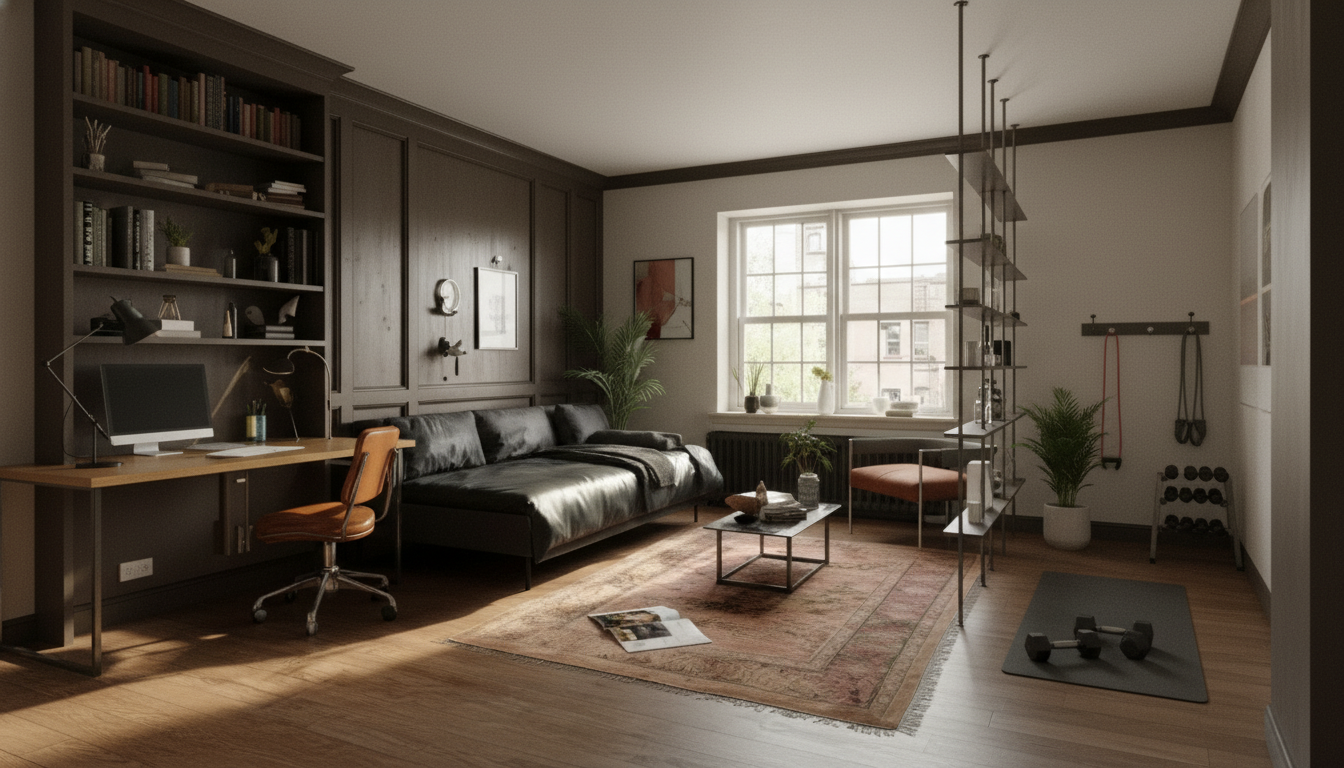
Multi-use rooms succeed when each activity has a clear “home,” even if the square footage is tight. A zone-first approach builds separation through layout, storage, lighting, and simple reset routines—so the room can shift between work, rest, fitness, hobbies, or guests without constant friction. Instead of asking, “What furniture can I squeeze in?”, start by deciding what needs to happen in the room and what has to be true for each activity to feel easy.
Before measuring anything, decide what the room is truly for. List the two or three most important uses (for example: work, workouts, and guest sleeping) and rank them by how often they happen and when they happen. A room that’s an office 5 days a week deserves different priorities than a “guest room” that only hosts visitors twice a year.
This one decision—anchor use first—prevents the common mistake of creating three half-functional setups that all feel compromised.
Zone planning gets dramatically easier when you respect what can’t move. Do a quick map (paper is fine) and mark:
If the room ever feels chaotic, it’s usually because transition pieces don’t have a designated parking spot.
Boundaries aren’t only walls. The best multi-use rooms use the lightest possible boundary that solves the biggest friction.
| Primary use | Biggest friction | Boundary type | Best low-footprint tools | Reset time goal |
|---|---|---|---|---|
| Work/video calls | Background clutter + echo | Visual + acoustic | Curtain track, bookshelf, soft furnishings, laptop riser | 2 minutes |
| Workout/stretching | Setup hassle + storage | Physical + storage | Foldable bench, wall hooks, rolling cart, mat strap | 1 minute |
| Guest sleep/quiet | Light + privacy | Visual + light control | Blackout curtain, bedside caddy, plug-in sconce | 3 minutes |
| Hobby/crafting | Tiny parts everywhere | Storage + surface control | Lidded bins, pegboard, drop-leaf table, tray system | 4 minutes |
Convertible furniture works best when it’s simple and repeatable, not fussy. Prefer dual-duty staples over gimmicks:
For desk ergonomics and comfortable monitor placement, align your setup with practical workstation guidance from the OSHA Computer Workstations eTool.
If you want a quick primer on why layered lighting matters (and what “good” lighting is meant to do), the Illuminating Engineering Society (IES) lighting fundamentals are a solid reference.
Two to three primary zones is the sweet spot for most rooms. Pick one anchor use that stays set up, then add one or two secondary zones that fold away or reset quickly so clutter and transition time don’t spiral.
Use a low-footprint visual boundary like a curtain track, a bookcase divider, or a rug plus a dedicated task lamp. Angle the desk so the camera faces a calm background, and add soft furnishings (rug/curtains) to reduce echo during calls.
Assign “homes” by category using lidded bins, give every movable item a parking spot, and do a 15-minute daily reset to restore each zone to ready mode. If mess keeps returning, reduce the number of active categories or upgrade to easier-access storage like a rolling cart.
If you have any questions, here are some useful links:












Leave a comment