Smart Home Cleaning That Runs Itself: Devices, Automations, and AI-Style Routines
A smart home can keep floors, air, and high-touch surfaces consistently clean with less manual effort—if devices, schedules, and rules are set up to match the way a household actually lives. The goal is simple: reduce decision fatigue, avoid over-cleaning, and use automation to handle the repetitive tasks while keeping control over privacy, maintenance, and costs.
Start With a “Cleaning Map” of the Home
Before buying anything or building routines, map where mess actually accumulates. Most homes don’t need “whole-house” cleaning automation first—they need the right cleaning at the right choke points.
- List the highest-impact zones: entryway, kitchen, main hallway, bathrooms, pet areas, and under dining seating.
- Identify the mess makers: shoes, pets, kids, cooking, seasonal pollen, or nearby construction.
- Set “cleanliness targets” by room: for example, kitchen floors daily, bathrooms twice weekly, baseboards monthly.
- Automate the biggest wins first: floors and air quality usually deliver the fastest improvement you can feel day to day.
If your household gets stuck on consistency, start with one zone (often the kitchen + entryway path). Once that runs reliably for two weeks, expand coverage.
Core Smart Cleaning Devices (and What They’re Best At)
Smart cleaning works best when each device has a clear job. The “AI-like” part comes from routines that coordinate timing, conditions, and safety checks—not from buying the most expensive model.
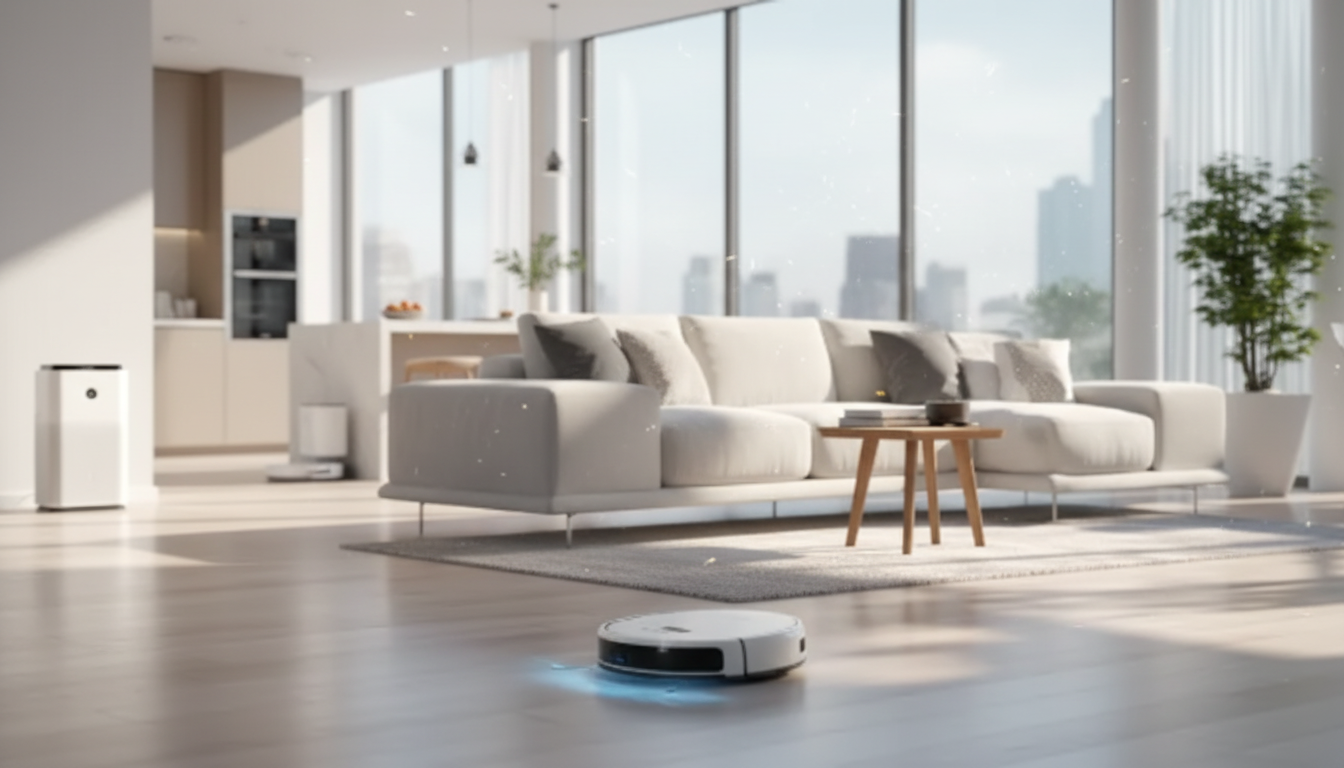
- Robot vacuum: ideal for daily crumbs, dust, and pet hair; strongest ROI in kitchens and high-traffic routes.
- Robot mop or vacuum-mop combo: best for sealed hard floors; schedule after meals and high-traffic windows.
- Smart air purifier: reduces airborne particulates; pair with filter reminders and smart placement for bedrooms and main living spaces. For practical guidance on air cleaners, see the U.S. Environmental Protection Agency (EPA) guide.
- Smart trash/odor control add-ons: sensors, timers, and ventilation routines can prevent lingering smells and reduce “mystery odor” hunting.
- Leak sensors + humidity monitoring: helps prevent the cleaning emergencies (mildew, warped floors, soaked cabinets) that turn into major projects.
Device picks by goal and schedule
| Goal |
Best device type |
Suggested schedule |
Setup tip |
| Cleaner floors with minimal effort |
Robot vacuum |
Daily or every other day |
Run after the first activity block of the day (e.g., after breakfast) |
| Spotless hard floors |
Robot mop / combo unit |
2–5x per week |
Use no-go zones for rugs and thresholds to reduce snags |
| Less dust and allergens |
Smart air purifier |
Auto mode + sleep schedule |
Place away from walls; replace filters on a calendar reminder |
| Fewer odor surprises |
Smart routines + ventilation reminders |
After cooking + evening |
Trigger on kitchen motion or a “cooking” scene |
Build AI-Style Cleaning Routines (Rules, Triggers, and Safety Checks)
The routines that stick are the ones that feel natural. Instead of “vacuum at 2:00 PM no matter what,” use triggers that align with what’s already happening in the home.
- Use simple triggers: door open/close, motion, time blocks, or voice scenes like “After dinner.”
- Add safety conditions: run robots only when someone is home, or only when a room is unoccupied.
- Make routines adaptive: increase frequency on rainy days, during shedding season, or before guests arrive.
- Prevent automation fatigue: limit notifications; batch alerts into one daily digest so your phone doesn’t become the “cleaning manager.”
- Protect floors and devices: set quiet hours, avoid wet mopping on delicate surfaces, and pause routines when kids’ toys are likely to be out.
For cleaning and disinfecting priorities—especially for high-touch surfaces—use public-health guidance as a baseline, then automate reminders around it. The CDC’s cleaning and disinfecting recommendations are a solid reference point for what matters most.
Room-by-Room Automation Templates
These templates are designed to be copied into your smart home app as schedules and scenes, then adjusted based on traffic, pets, and flooring type.
Entryway
- Run a 5–10 minute zone-clean after the busiest arrival time.
- Add a weekly deeper run that includes the hallway route to the kitchen.
Kitchen
- Schedule a short vacuum after meals (or trigger it with an “After dinner” scene).
- Mop 2–3 times per week depending on cooking frequency and foot traffic.
Bathrooms
- Set a recurring reminder for disinfecting high-touch points (faucet handles, flush handles, switches).
- Use humidity data to prompt ventilation and mildew prevention.
Bedrooms
- Run an air purifier nightly on a sleep schedule.
- Vacuum under-bed and perimeter zones weekly to keep dust from building up where it’s hardest to notice.
Pet areas
Maintenance That Keeps Smart Cleaning Reliable
Privacy, Permissions, and Smart Home Hygiene
Put It All Together With a Ready-to-Use Plan
FAQ
How often should a robot vacuum run in a typical home?
For kitchens and entryways, daily runs (or every other day) work well because those areas collect grit fast. In lower-traffic rooms, 3–5x per week is usually enough, with extra runs during shedding season, allergy season, or rainy weeks.
Are robot mops safe for all flooring types?
Robot mops are best on sealed hard floors like tile, vinyl, and properly sealed hardwood. Use caution on unsealed wood or delicate materials, follow the flooring and robot manufacturer guidance, and set no-mop zones for rugs and sensitive areas.
What’s the simplest smart cleaning routine that actually sticks?
Create a single “After dinner” scene that triggers a 10-minute kitchen vacuum, plus a twice-weekly mop on set days. Add one weekly reminder to empty bins and rinse pads so the routine stays reliable without constant troubleshooting.
Recommended for you










Leave a comment